Forum

Member Since: 30-Jan-12
Location: AU
Posts: 12
Forum Level:
Just getting started
Windows 11 has changed how I look at my photo files
G'day, I'm a computer dope and I'm stuck on this. I'll try and explain what's happened and I apologise for being long winded.

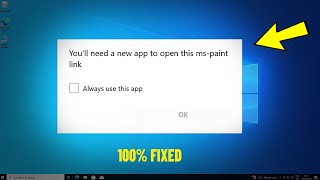
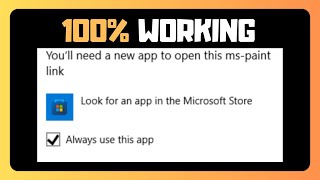
I have a load of photos in files on our windows 11. I can see them in the file in thumbnail but when I click on them to open them up (make bigger, full screen) I get a pop up on the screen saying "You'll need a new app to open this ms-paint link". Next line says " Look for an app in the Microsoft Store" There's a tick box that says Always use this app and an OK box but nothing seems to work when ticking and Oking?

My wife Bev has a water ski friend who is a computer wiz but sadly I have a few to many naughty photos on this computer to be risking having anyone looking through it.

Any help at all would be greatly appreciated. Thank you, Steven.

If this thread breaks our rules please 

Member Since: 30-Jan-12
Location: AU
Posts: 12
Forum Level:
Just getting started
This must be a bigger problem than I thought?
26 views and no replies on a solution.

If this reply breaks our rules please 
Member Since: 17-May-05
Location: CA
Posts: 270
Forum Level:
Just getting started
As near as I can tell, you were using Microsoft Paint or Paint3D. There's been a long reported bug in Paint3D that you have to open Paint3d then open the image you want to look at. Microsoft has dropped support for Paint 3D so if I was you I'd download irfanview . Free app for images

If this reply breaks our rules please 
Member Since: 30-Jan-12
Location: AU
Posts: 12
Forum Level:
Just getting started
Thank you so much for your help. I ended up getting Bev's water ski friend to have a look at it and within minutes he had it up and working. I've got no idea what he did because he was working the keyboard so fast. Its all good now so I guess I was in a panic about it for nothing. Thanks again, Steve.

If this reply breaks our rules please 
Member Since: 17-May-05
Location: CA
Posts: 270
Forum Level:
Just getting started
Not a problem. I'm just sorry I missed your original post, I'm always happy to help out folks on NN.

If this reply breaks our rules please 
Member Since: 13-Nov-07
Location: US
Posts: 2
Forum Level:
Just getting started
I think I know what you used and lost.
Windows used to use an older version of Photos. Now called Photos Legacy.
You can download it in the microsoft store for free.

When you open the new photos, if that's what you're doing.
Click the little cog wheel next to the import button.
Scroll down a bit and you will see Photos Legacy.
Hiit the button that says to open it.
If you don't have it, you can get it in the MS store for free if I remember correctly.

Once downloaded if that is all you want to use and is what you used before, you can change the default app to Legacy in Settings > Apps > Default apps
Scroll down to Photos Legacy.

Click on it and then you can change the default to legacy on any file type you typically use like a jpg.

When you find the file type, just click on the box and select legacy and that file type will open in legacy.

If it was another piece of sw, then you can do the same thing with whatever photo app you have. There's some in the store and you can use ones you download outside of the ms store.
you just need to point it to the folder and exe for that program.

Hope that wasn't too confusing.

If this reply breaks our rules please 
Member Since: 13-Nov-07
Location: US
Posts: 2
Forum Level:
Just getting started
I'm stupid.
I glanced at your thread and missed the ms paint.


That'll walk you through it.

IF that doesn't work, then try this one

Then this is from AI.

This error often occurs in Windows 10/11 when the Paint 3D or MS Paint app is corrupted, outdated, or misconfigured following an update. To fix it, try resetting or repairing the Paint app via Settings > Apps > Installed apps, or reinstalling Microsoft Paint from the Microsoft Store or Optional Features.
Here are the most effective solutions to resolve the "You'll need a new app to open this ms-paint" error:
Reset/Repair Paint 3D: Go to Settings > Apps > Apps & features, find Paint 3D (or Paint), click Advanced Options, and select "Repair" or "Reset".
Reinstall via Optional Features: Go to Settings > System > Optional Features. Click Add a feature, search for Microsoft Paint, and install it.
Reinstall via Microsoft Store: Open the Microsoft Store, search for "MS Paint," and update or reinstall it.
Check File Associations: Right-click an image file, select Open with > Choose another app, and ensure Microsoft Paint is selected while checking "Always use this app".
Run PowerShell Command: If these fail, you can re-register all Windows apps using PowerShell (as Administrator) to fix underlying store glitches.
If the error persists, it may be a known issue with a specific Windows update, in which case you can use the Feedback Hub to report it to Microsoft.

I feel like you'll be able to get it done with all of that.
My first post can be ignored. I'm sleepy and should have read it instead of quickly glancing and assuming,

Good luck!

If this reply breaks our rules please